Sign up as a new cleaning company
1. Go to www.TaskAim.com
2.
Click
CLEANING COMPANY SIGN UP 
3. Enter information into all fields
that have a * (meaning required), click Next, enter address and a code then
click Save. A confirmation email with subject “Company Account Activation” will
be sent to you. Find the email (please also check spam) and click the link in
the email to activate your account. Once activated, taskaim.com sends you
another email to inform you your user ID and password.
4. Go back to Login -> Service
Provider Login, enter your user ID and password, and then click LOGIN. If you
haven’t subscribed to any packages, you will have a very limited view in the
system.
Subscribe a Package
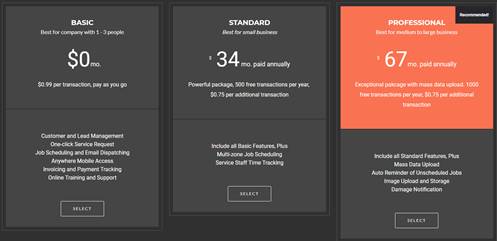
5. Click “Package” on the menu bar

6. Click “SELECT” under the package you
want to subscribe.
7. After selecting a package, the
system takes you to the login page. If you already have an account with
taskaim.com, enter your email address and password, and then click LOG IN.
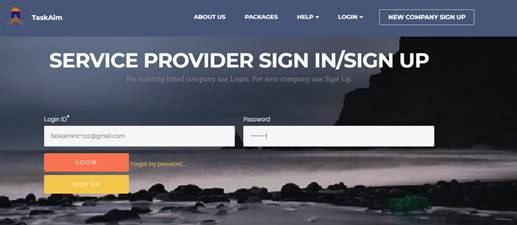
8. If you don’t have an account with
taskaim.com, click SIGN UP and follow steps 3 - 8 to create an account and
select a package.
9. Basic Package doesn’t require a
monthly fee, so once you select the Basic Package and log in to your account, you
have successfully subscribed to the package. You will receive a monthly invoice
based on the number of cleanings you have processed through taskaim.com. Our
charge rate is $0.99 per cleaning.
10.
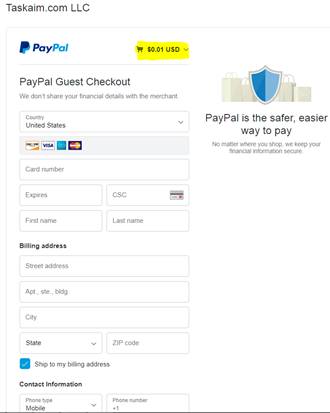
11. Standard and Professional packages
requires a subscription payment. Once logged in, taskaim.com takes you to
PayPal website, where you can either log in to your PayPal account and pay from
there, or pay with a Debit or Credit card.
12. Once a payment is made, you will get
a payment confirmation on PayPal
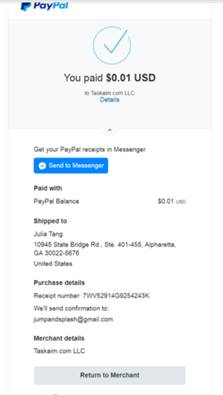
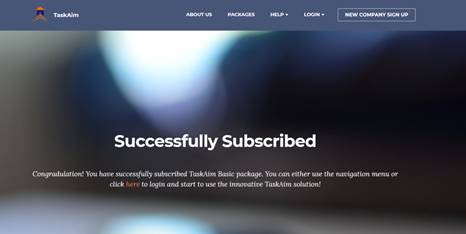
13. Click Return to Merchant, the system
will take you to Successfully Subscribed page to confirm your subscription. You
can start to use Taskaim.com to manage your cleaning services.